 bez
FREE!
OsZillator
Precise tone measurement for synthesizers: waveform, frequency and tuning at a glance.
Waveform

Tune
Sound
Oscilloscope and tuner
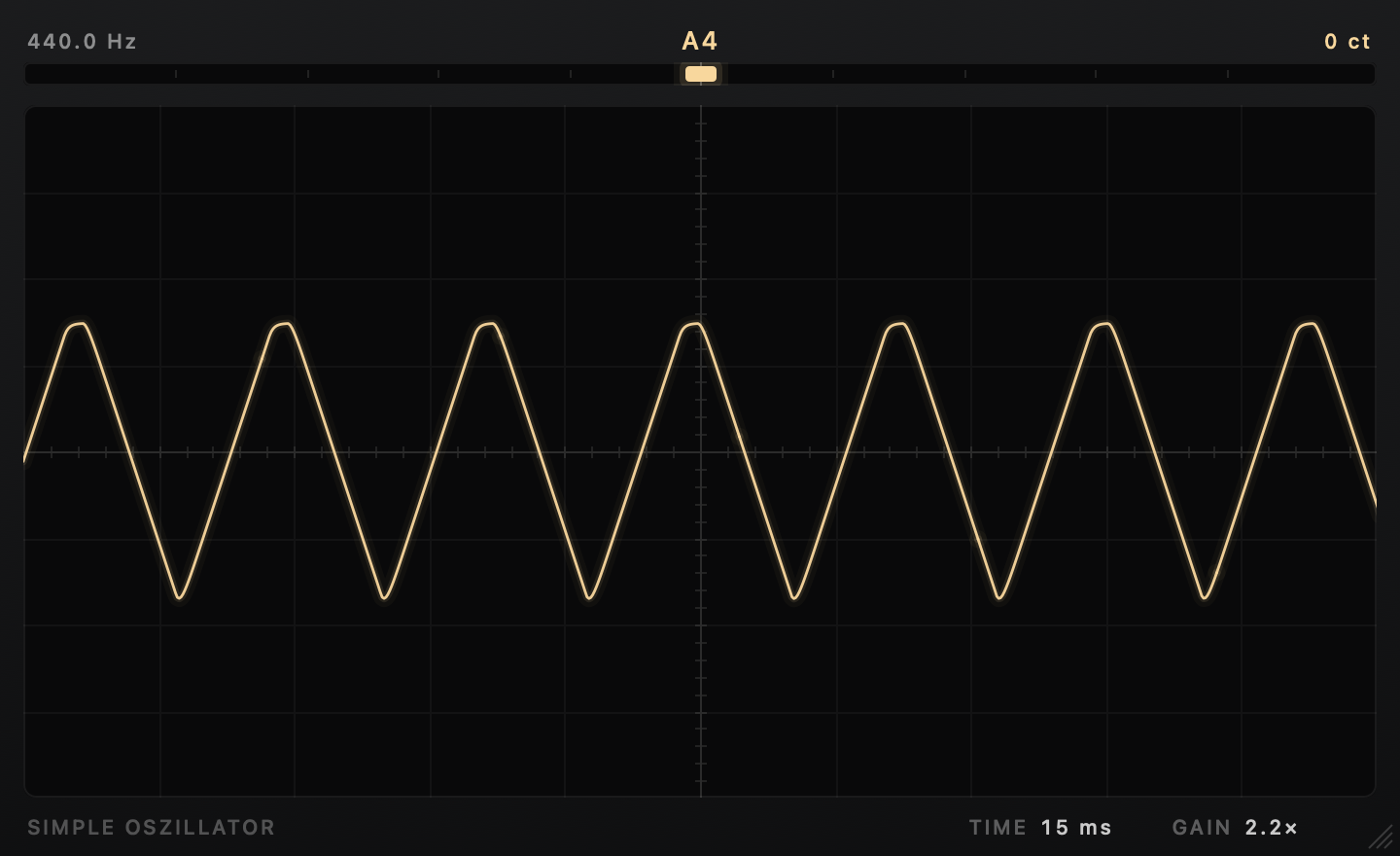
OsZillator is a lean analysis tool for Logic Pro. Insert it as an effect on a track and you immediately see the waveform of your signal, whether it comes from a synthesizer, a guitar or a voice. Above it, a chromatic tuner shows the note, frequency and deviation. Your sound stays untouched.
Waveform
The automatic trigger keeps the waveform steady, even with a DC offset. One click freezes the display.
Tuner
Chromatic from 27 Hz to 2.7 kHz. A marker shows the deviation up to ±50 cents and changes colour as soon as the note is in tune.
Audio
Audio passes through unprocessed. Time and Gain only affect the display and are saved with your project.
Display
- Frequency in hertz
- Detected note
- Deviation in cents
- Tuning strip, ±50 cents
- Waveform; one click freezes the display
- TIME: visible time window
- GAIN: display zoom
- Drag the corner to resize the window
Installation
- Download and open. Open the downloaded file OsZillator-1.4.1.pkg.
- Allow it if macOS warns you. The package isn't notarized by Apple, so macOS blocks it the first time you open it. Go to System Settings › Privacy & Security and choose “Open Anyway”. Signing with Apple is in progress and coming soon.
- Run the installer. Your Mac will ask for your password.
- Restart Logic Pro. You'll find the plug-in under Audio FX › globez › OsZillator.
Technical details
- Format
- Audio Unit v2 (effect)
- System
- macOS 11 or later
- Processor
- Intel and Apple
- Time window
- 0.5 to 500 ms
- Display gain
- 0.25 to 16×
- Tuner
- 27 Hz to 2.7 kHz, A4 = 440 Hz
- Install location
- /Library/Audio/Plug-Ins/Components
Free, no sign-up